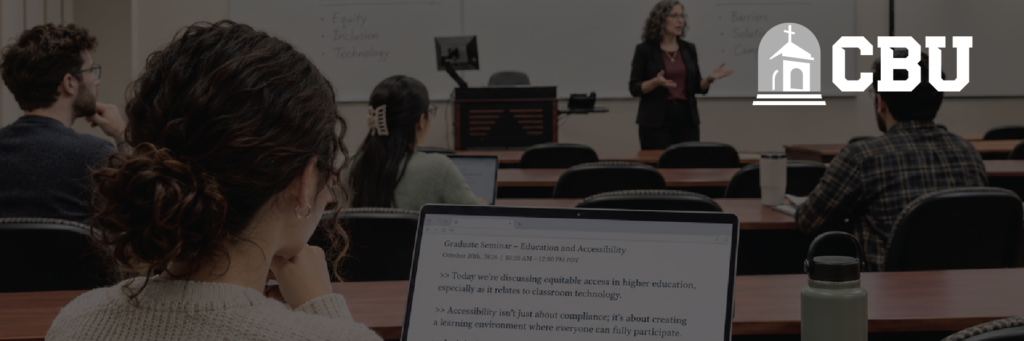
At California Baptist University (CBU), providing reliable live captioning for a doctoral student required a solution that could keep pace with the demands of discussion-heavy classroom environments.
Previous captioning workflows relied on coordination between instructors, scheduled sessions, and the university's Disability Services team. When sessions were delayed or not initiated correctly, important classroom discussions could begin before captions were available.
Working with the university, Aberdeen Broadcast Services implemented an AI-powered live captioning solution that puts the student in control. The result is more consistent access to classroom discussions, greater independence for the student, and fewer administrative challenges for the accessibility team.
In doctoral-level seminars, meaningful discussions can begin before the scheduled start of class. For a student who relies on live captioning, even a short delay can mean missing important information.
California Baptist University had previously provided live CART captioning services, but its accessibility team also encountered challenges with an instructor-dependent web-conferencing workflow.
Several factors made consistent access difficult:
The university needed a solution that would simplify access without requiring the student to depend on multiple people or processes before each class.
Fewer handoffs. Greater independence. More consistent access.
Aberdeen worked with California Baptist University to introduce student-controlled AI live captioning, powered by Automatic Speech Recognition (ASR).
Rather than depending on an instructor to launch a meeting or a scheduled captioner to join a session, the student can independently access live captions from their own device.
The solution includes three key features:
Student-Controlled Captioning
The student opens a browser-based captioning page and starts the session when class begins. This eliminates the need for instructors to initiate the service and allows the student to access captions when they need them.
Multidirectional Classroom Audio
A multidirectional microphone captures speech from around the classroom, helping the captioning system process discussions from different seating positions. This is particularly valuable in graduate seminars where participation comes from throughout the room rather than a single lecturer.
Flexible, On-Demand Access
The student can start and pause captioning based on their needs, including during small-group activities or conversations where captioning is not required.
Together, these capabilities provide a more independent classroom experience while reducing the coordination required from the university's accessibility team.
From selecting a scheduled class to starting a live captioning session, students can manage their own access.
Students see their scheduled classes and select the session they need.
The live interface provides microphone, session, and viewing-link controls.
Fewer handoffs. More independence. Captioning controlled by the student.
The transition has delivered meaningful improvements for both the student and California Baptist University's Disability Services team.
| Key Outcome | Impact at California Baptist University |
|---|---|
| Captions Available When Class Begins |
With the ability to initiate captioning independently, the student no longer needs to wait for an instructor to launch a session. They can begin receiving captions as classroom discussions start, reducing the risk of missing important opening conversations. |
| More Freedom in the Classroom |
The student is no longer as dependent on sitting near the primary speaker. During one class, they arrived late and took a seat in the back row, yet reported that the captioning continued to work well. |
| Clearer Access to Classroom Discussions |
The combination of ASR technology and multidirectional audio capture has helped the student follow discussions in a challenging classroom environment. According to CBU's Disability Services team, the AI-assisted solution has been particularly effective at focusing on the primary speaker while minimizing side conversations and background chatter. |
| Less Administrative Work |
By removing the requirement for instructors to initiate captioning sessions, the university has reduced the recurring coordination and troubleshooting associated with the previous workflow. |
| Greater Student Independence |
Perhaps the most significant outcome is the student's ability to manage their own accessibility experience. They decide when to use captions, where to sit, and when to pause the service. Although initially skeptical of AI, they now prefer the solution for their classroom needs. |
Importantly, human CART captioning remains part of CBU's accessibility services. The university can continue selecting human or AI-powered captioning based on each student's needs and the requirements of different learning environments.
“I sat in different places in every single class. One day I got in late and ended up in the back row, and it still worked wonderfully.”
“I'm not the biggest fan of AI, but it works better.”
“Aberdeen CART Services has been an outstanding partner, providing excellent customer service and consistently high-quality transcription support. We recently transitioned from live CART services to Aberdeen's AI-assisted CART platform, and the change has been seamless. The quality has remained exceptional, and our students have shared very positive feedback. Students appreciate that the AI-assisted service does an excellent job focusing on the primary speaker while minimizing side conversations and background chatter, resulting in clearer and more effective captions.”
Building on the success of the student-controlled solution, Aberdeen also tested a compact classroom encoder running Aberdeen-developed firmware during a visit to California Baptist University.
From classroom audio to live captions, with fewer steps for campus staff.
A connected microphone captures speech in the classroom.
Aberdeen-developed firmware sends audio outbound through the campus network.
Audio is processed into live captions through Aberdeen's captioning service.
Students access captions through a shared browser-based link.
The device connected to the university's existing network with a microphone and power supply. During the demonstration, the encoder successfully delivered live captions with low latency while keeping speakers distinct. The test required no firewall changes or assistance from campus IT.
Designed to simplify accessibility in classrooms with recurring captioning needs, the solution offers several capabilities:
While the classroom encoder is still being evaluated, the successful demonstration highlights Aberdeen's continued investment in making live captioning easier to deploy, manage, and access.
For universities, this could mean another flexible option for providing consistent classroom accessibility with fewer technical and administrative demands.
The experience at California Baptist University demonstrates how the right captioning solution can make a meaningful difference in a student's daily academic experience.
By transitioning to student-controlled AI live captioning, the university reduced administrative barriers, improved the consistency of classroom access, and gave a doctoral student greater independence in managing their own accommodations.
It also reinforces an important principle: effective accessibility is not about choosing human captioning over AI, or vice versa. It's about understanding the environment, the individual, and the technology best suited to their needs.
With both human CART and advanced AI captioning solutions, Aberdeen continues to help colleges and universities provide reliable accessibility services across classrooms, campus events, and learning environments.
From individual classroom accommodations to large-scale commencements and campus events, Aberdeen Broadcast Services helps colleges and universities deliver accessible experiences through human CART, AI live captioning, and flexible technology solutions.
The university's previous workflow depended on instructors launching a web-conferencing session before captions could start, which sometimes caused delays when sessions were forgotten or classroom connections failed. This instructor-dependent process also required the Disability Services team to spend significant time coordinating with professors, sending reminders, and troubleshooting problems before each class.
A doctoral student opens a browser-based captioning page and starts the session themself when class begins, instead of waiting for an instructor to launch it. The system uses Automatic Speech Recognition (ASR), technology that converts spoken classroom discussion into live captions, paired with a multidirectional microphone that captures speech from around the room.
The student gained more freedom to sit anywhere in the classroom rather than near the primary speaker; one day they arrived late, sat in the back row, and reported the captioning still worked well. They can also start, pause, and manage their own captioning sessions, including during small-group activities where captions aren't needed.
Yes, human CART (Communication Access Realtime Translation) captioning remains part of CBU's accessibility services alongside the AI-powered option. The university continues to choose human or AI-powered captioning based on each student's needs and the requirements of different learning environments, rather than replacing one approach with the other.
It's a compact device running Aberdeen-developed firmware that connects to a microphone and the campus network to send classroom audio outbound to Aberdeen's platform for processing into live captions, requiring no firewall changes or campus IT assistance. During the demonstration it delivered low-latency captions while keeping speakers distinct, though it is still being evaluated.

